Know what each app really costs you
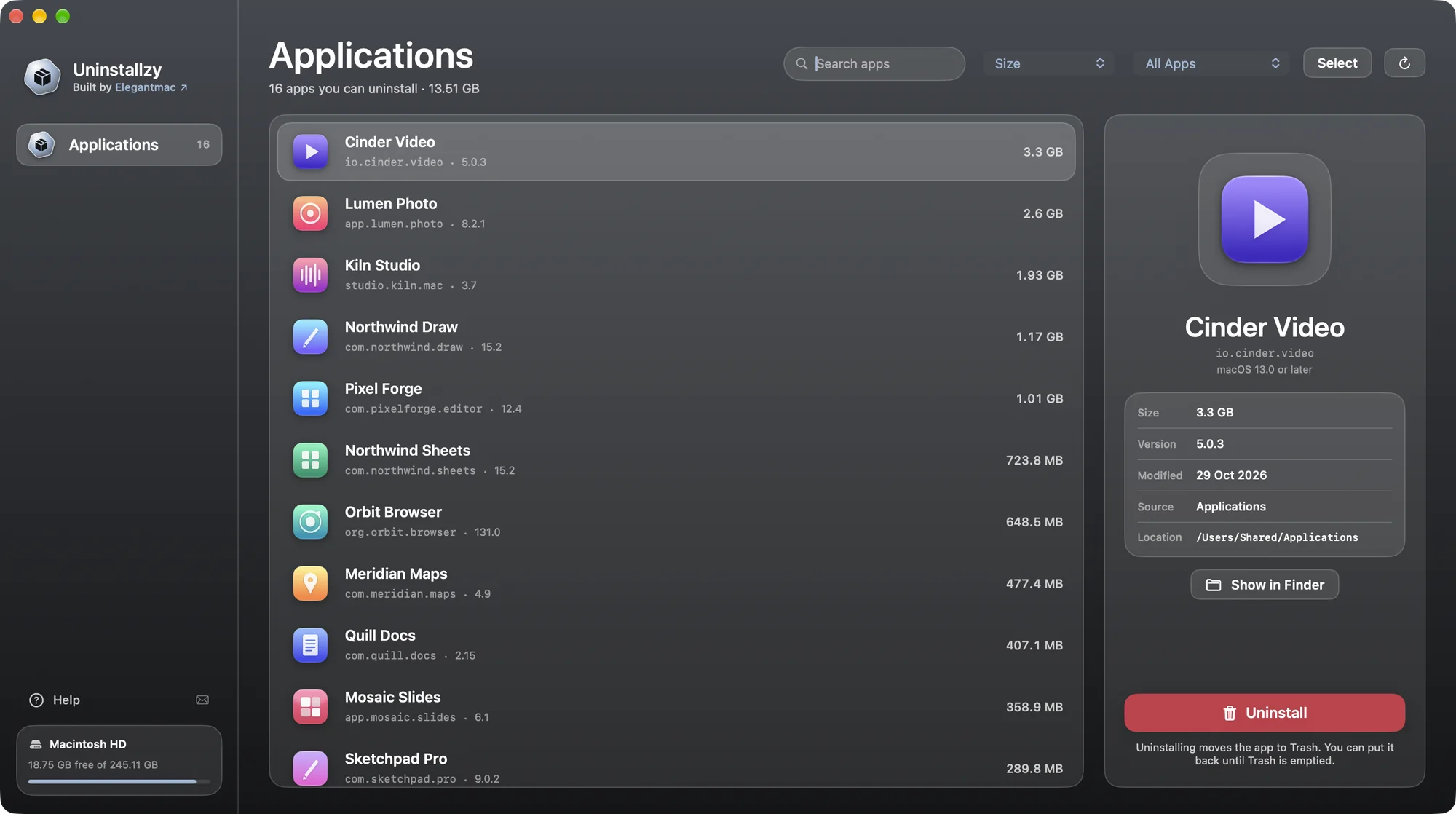
Real on-disk size, version and last-modified date for every app, so the 3 GB video editor you forgot about stands out. Sort by size and the biggest wins are at the top.
See every app you can remove, with its real size on disk. Pick one, confirm once, and it moves to the Trash. Nothing permanent, nothing hidden.

Uninstallzy is made by Elegantmac, an independent Mac software brand of Rethax Corp, based in Delhi, India. Real people answer every email at support@elegantmac.com.
Uninstallzy isn’t a cleaner, a scanner or a menu-bar service. It lists your apps and removes the ones you choose. That’s the whole product.
Real on-disk size, version and last-modified date for every app, so the 3 GB video editor you forgot about stands out. Sort by size and the biggest wins are at the top.
Suites in vendor folders such as Adobe or Microsoft show up right alongside everything else. Both /Applications and ~/Applications are covered.
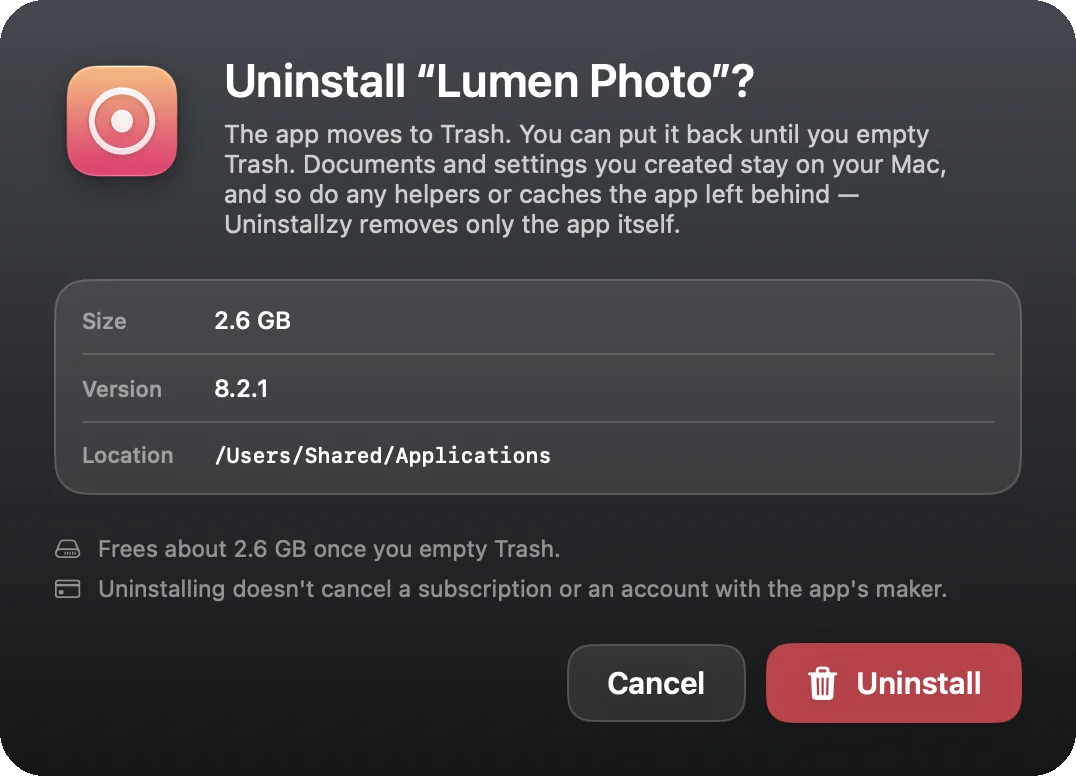
Every uninstall opens a sheet that names the app, its size and exactly where it lives. Pressing Return always picks the safe choice. There is no “don’t ask again” and no automatic action, ever.
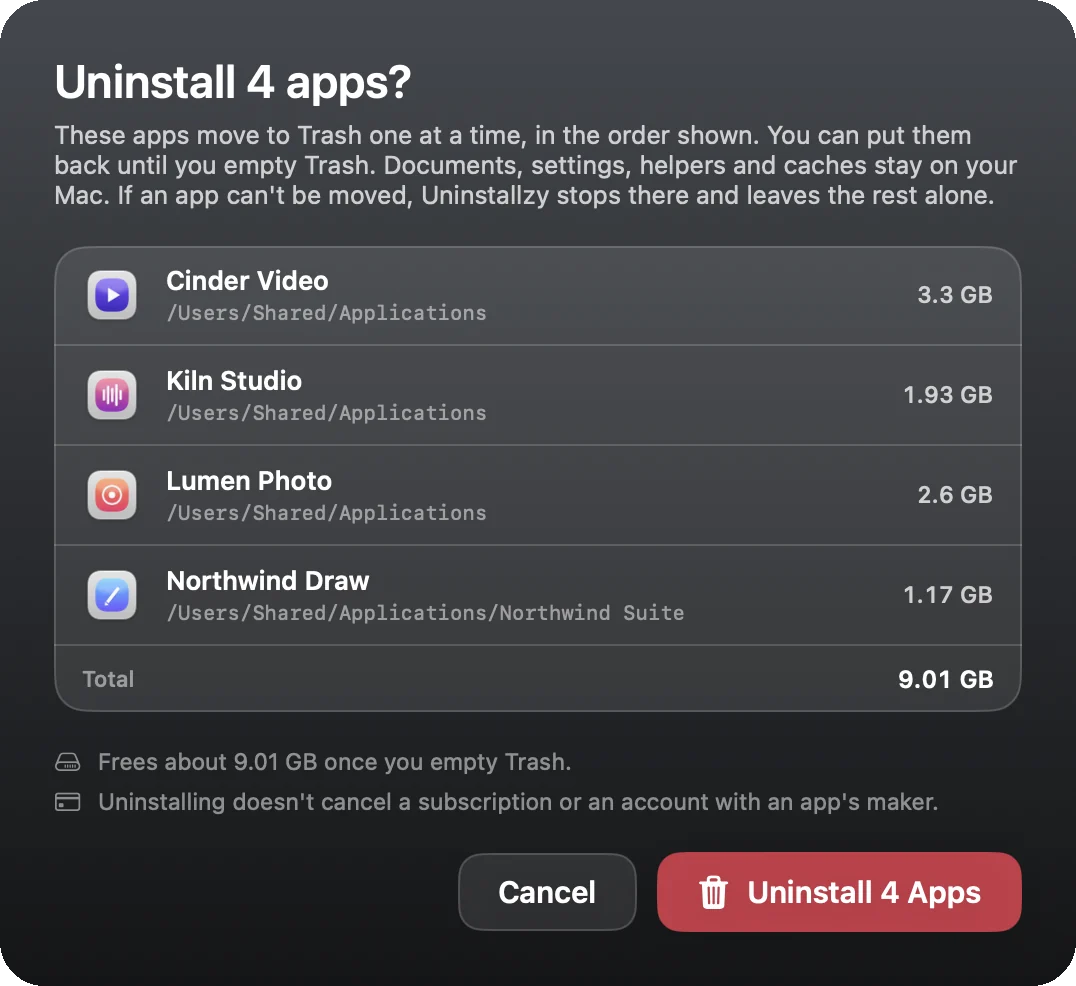
Hand-pick up to 10 apps and confirm once. They move to Trash one at a time, and if any app can’t be moved, Uninstallzy stops right there and leaves the rest untouched. There is no Select All.
Apps go to the macOS Trash and stay recoverable until you empty it. Uninstallzy never deletes permanently and never empties the Trash for you.
It asks a running app to quit and waits up to five seconds. It never force-quits. If the app stays open, nothing is removed.
Search by name, bundle ID or path. Sort by name, size or last modified. Filter to running, App Store or your own apps.
Select an app in the list, or press Select to tick a few. Sizes fill in as the scan finishes, so the window opens instantly.
Read the sheet: app, size, location. Press Uninstall, or Cancel to change your mind. Nothing moves until you do.
The app is in the Trash. If you change your mind, open Trash and choose Put Back. Empty it when you’re sure.
Uninstalling software should never feel risky. Uninstallzy works inside strict, tested guardrails.
.app bundles in your Applications folders can be moved. Every request is re-checked just before it happens.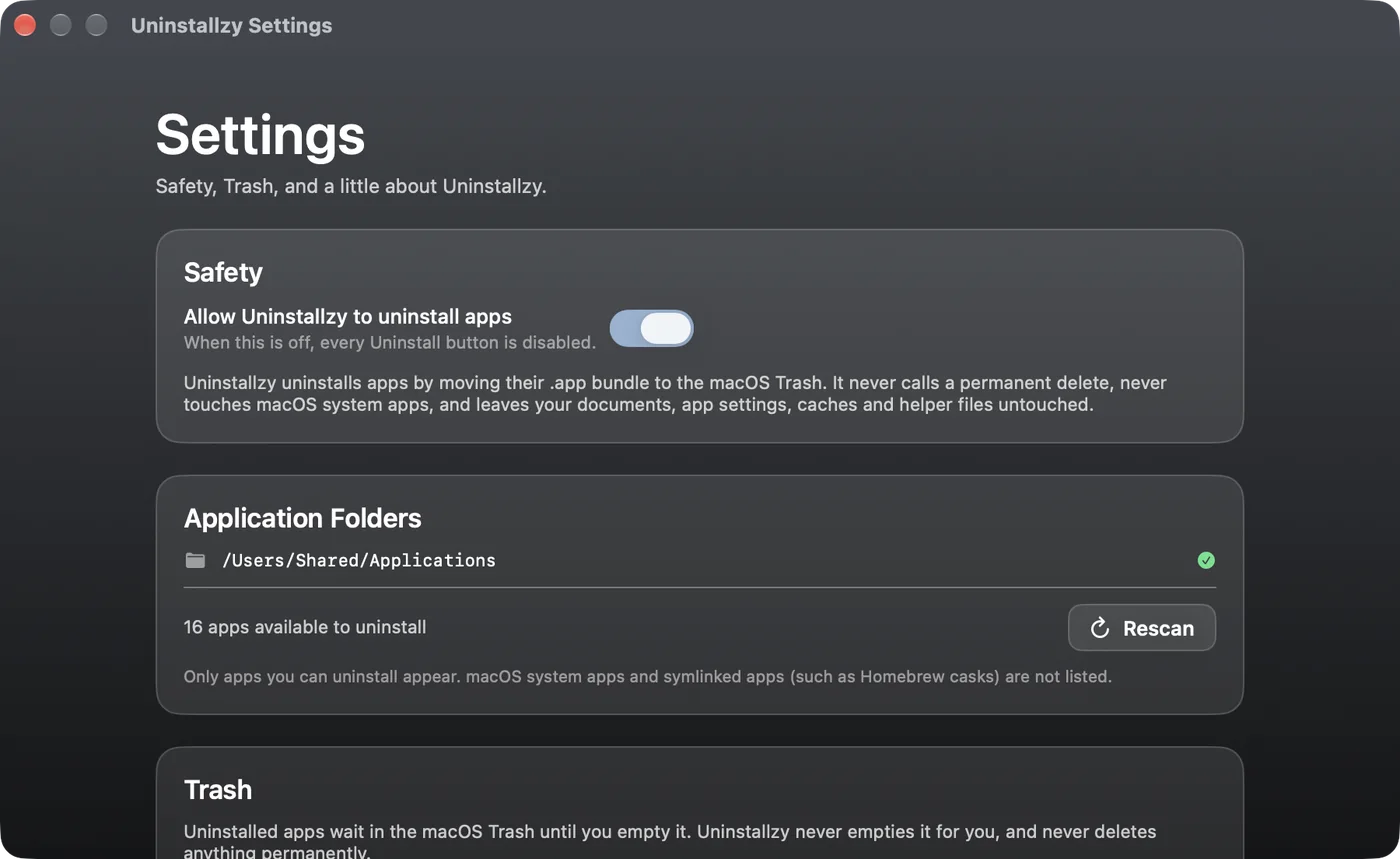
We’d rather tell you now than surprise you later.
Dragging works fine for one app you can already find. Uninstallzy is for everything else.
| Drag to Trash | Uninstallzy | |
|---|---|---|
| See every app and its size in one list | Folder by folder | Yes, sortable by size |
| Apps inside vendor folders | Easy to miss | Listed with the rest |
| Remove several at once | Select and drag | Up to 10, one confirmation |
| Confirmation that names size and location | No | Every time |
| Clear help when an app won’t move | Generic macOS error | Plain-language reason + next step |
Whether or not you use Uninstallzy, here’s everything that actually works.
The standard Finder method, step by step, plus how to put an app back.
Read“In use”, “needs a password”, “required by macOS” — what each message means.
ReadWhere apps keep settings and caches, and how to check them without breaking anything.
ReadTo the macOS Trash. Open Trash and choose Put Back to restore it. Uninstallzy never empties the Trash.
No. It removes only the app. The confirmation sheet says so before you confirm. Our guide explains how to check for leftovers yourself.
Apps installed with administrator rights belong to another account, and macOS won’t let Uninstallzy move them. It says so and opens the app in Finder, where you can right-click it and choose Move to Trash. For Adobe apps, Adobe Creative Cloud’s own uninstall also removes Adobe’s helper files.
macOS asks before any app changes another app. Allow Uninstallzy under System Settings, Privacy & Security, App Management. It doesn’t ask for Full Disk Access, Accessibility or anything else.
Uninstallzy asks it to quit and waits up to five seconds. It never force-quits. If the app stays open, nothing is moved.
No. The app doesn’t use the network, has no accounts and no analytics, and never sends your app list or file names anywhere. Links and email drafts open in your browser and mail app only when you click them.
macOS 15 Sequoia or later, on Apple silicon and Intel Macs. The app takes about 9 MB of disk space.
It’s a one-time purchase on the Elegantmac product page, where the current price is shown. There’s no license key: the app you download has every feature. Uninstallzy doesn’t update itself; download new versions from the product page.
Email support@elegantmac.com. Inside the app, choose Help in the sidebar for a ready-to-send draft.
See every app, remove what you don’t need, and keep the Trash as your safety net.
Get Uninstallzy macOS 15 or later · Apple silicon & Intel · Built by Elegantmac